
EntryForge
Journal entries finance teams actually want to create
A web platform for creating, approving, and exporting journal entries to Oracle Cloud ERP — with Excel bulk upload, configurable approval workflows, and FBDI-compliant export.
- 132
- User stories shipped
- 925+
- Acceptance criteria verified
- 30
- Oracle COA segments supported
- 4
- Export destinations
Overview
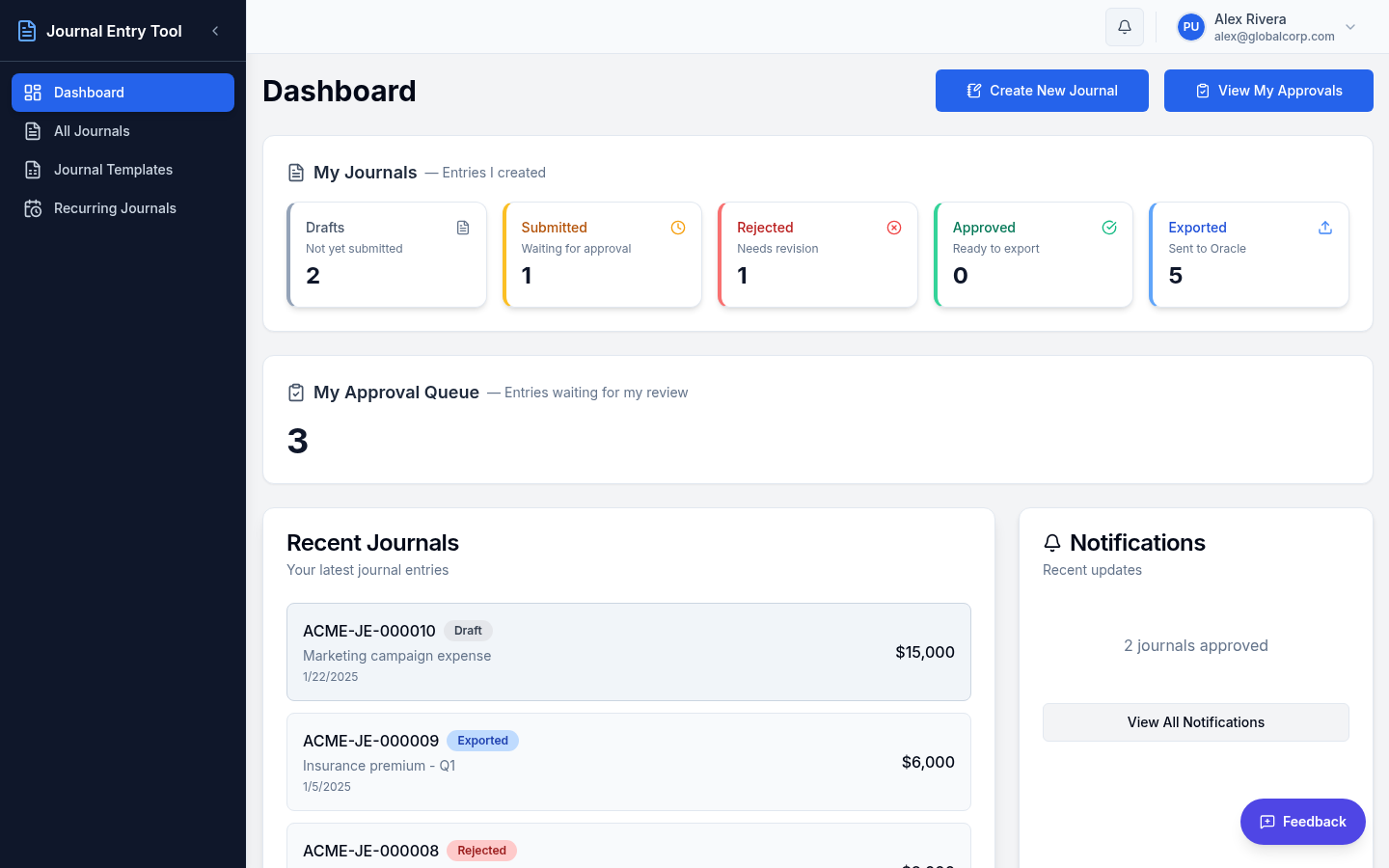
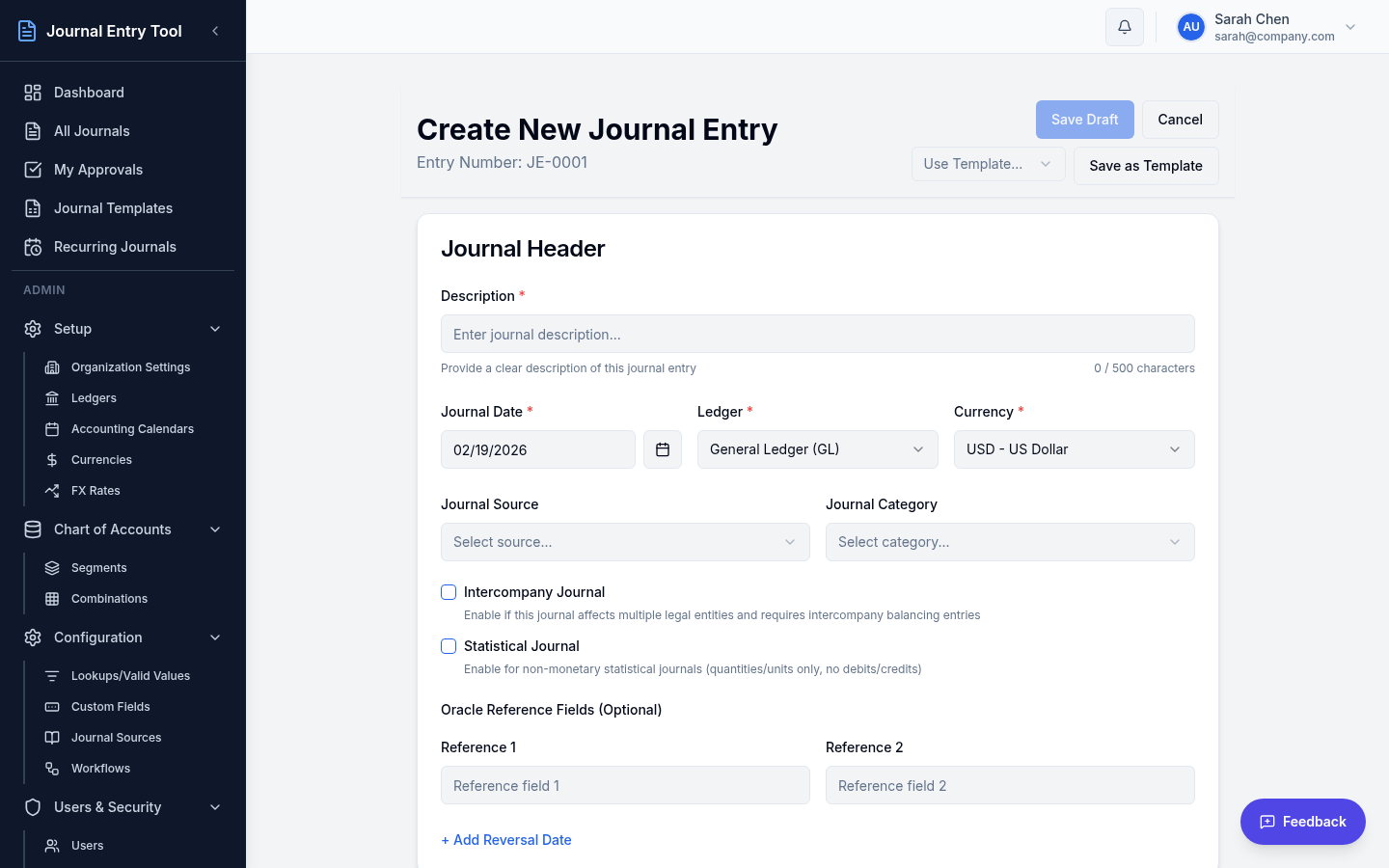
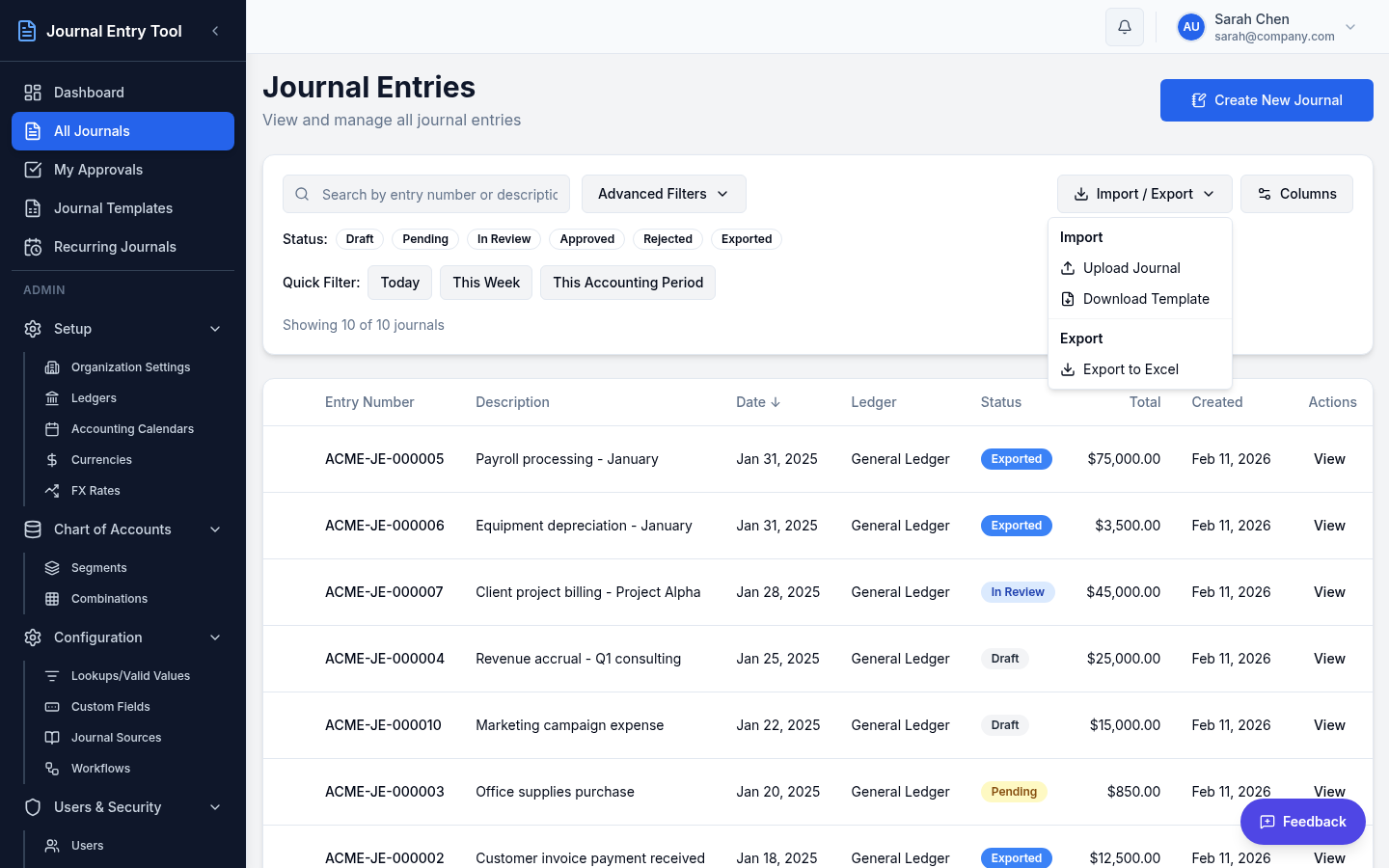
Finance teams everywhere wrestle journal entries through spreadsheets, email approvals, and manual ERP imports. EntryForge replaces that with a purpose-built workflow: create entries manually or via validated Excel upload, attach supporting documentation, route through configurable approval chains, and export directly in Oracle's FBDI format.
User experience was the explicit top priority — common actions take three clicks or fewer, every state change gives instant feedback, and approvers can act from a single screen showing the entry, its lines, attachments, and full history.
Tech Stack
The Challenge
Approval workflows in real finance organizations are messy: parallel and sequential stages, delegation, SLA escalation, rejection-and-resubmit loops. Most tools either oversimplify or become unusable. EntryForge had to support genuine complexity behind a deliberately simple interface.
The Approach
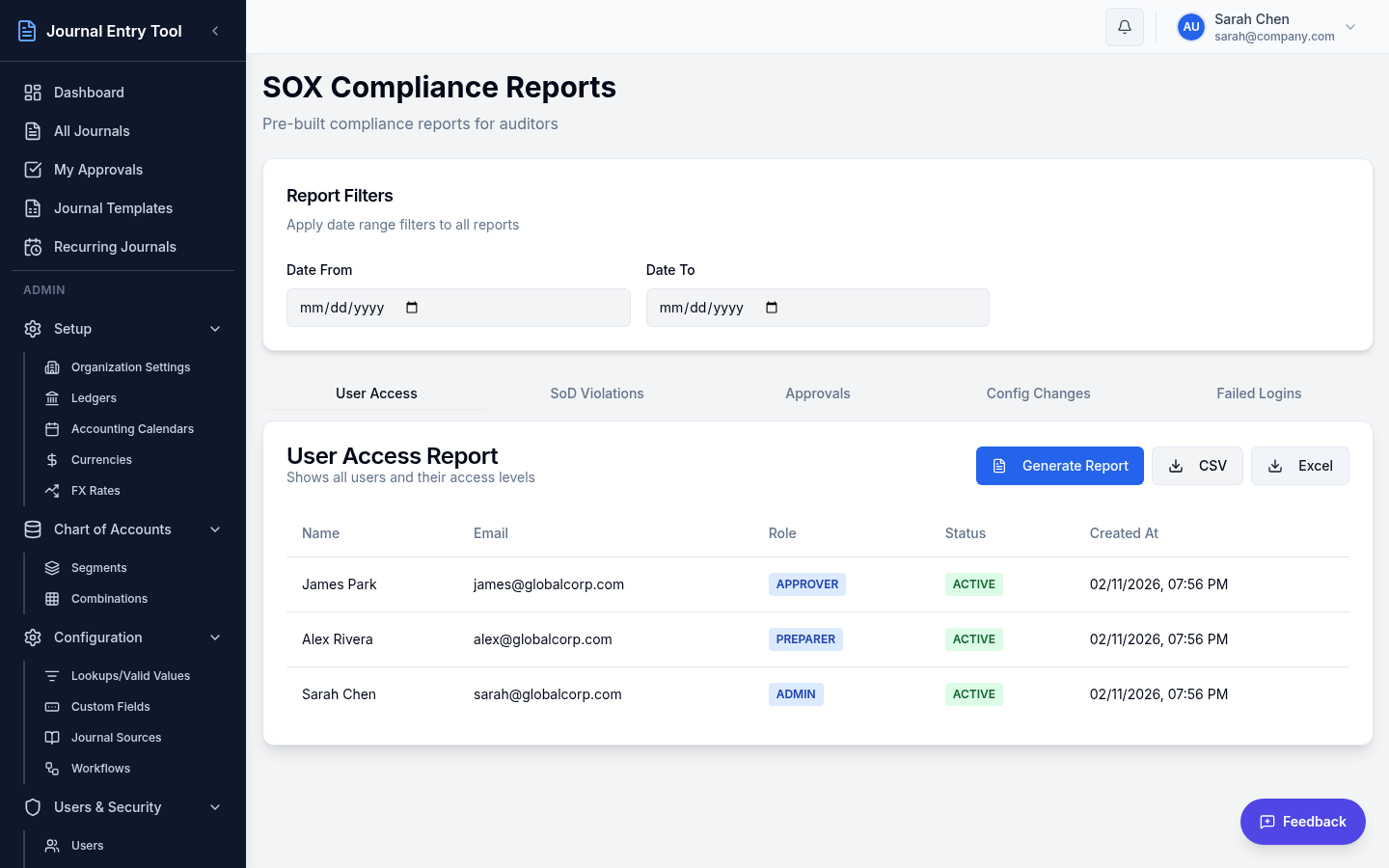
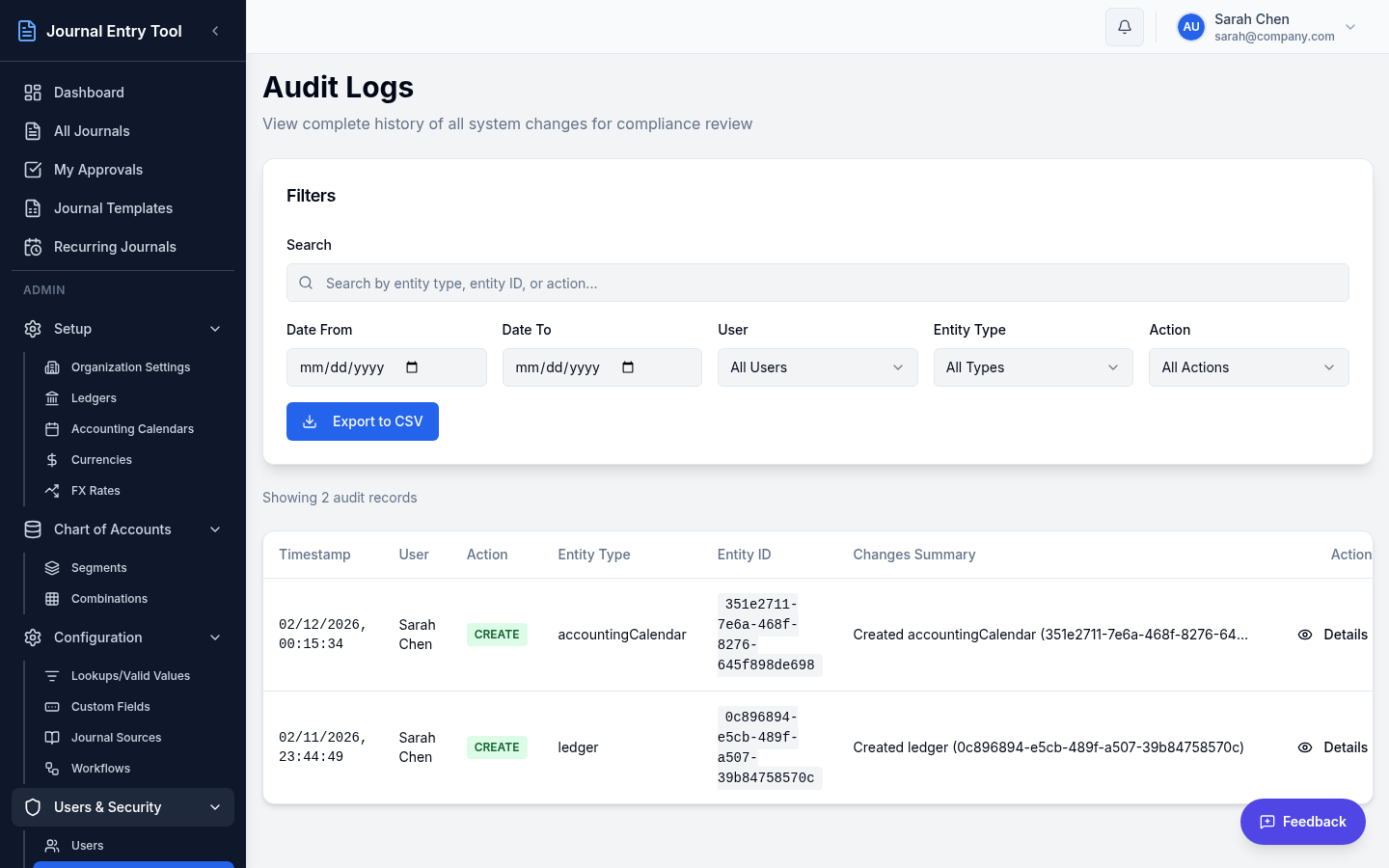
The workflow engine supports parallel and sequential approval stages with email and in-app notifications, SLA-based escalation, and a complete audit trail for SOX compliance. Chart-of-accounts validation runs as you type, so errors surface immediately instead of at export.
Built on a modern, proven web stack with flexible document storage (AWS or Azure) and automated notifications. The platform shipped through 132 user stories and 925+ individually verified acceptance criteria, each documented and manually tested before release.
From Entry to ERP
- 01Create or ImportManual entry, templates, or Excel upload
- 02ValidateAccount combinations checked as you type
- 03ApproveConfigurable chains with SLA tracking
- 04ExportFBDI files validated before they leave
- 05Oracle CloudClean imports, complete audit trail
Inside the Product
Highlights
- Oracle FBDI export with pre-export validation — files import cleanly the first time
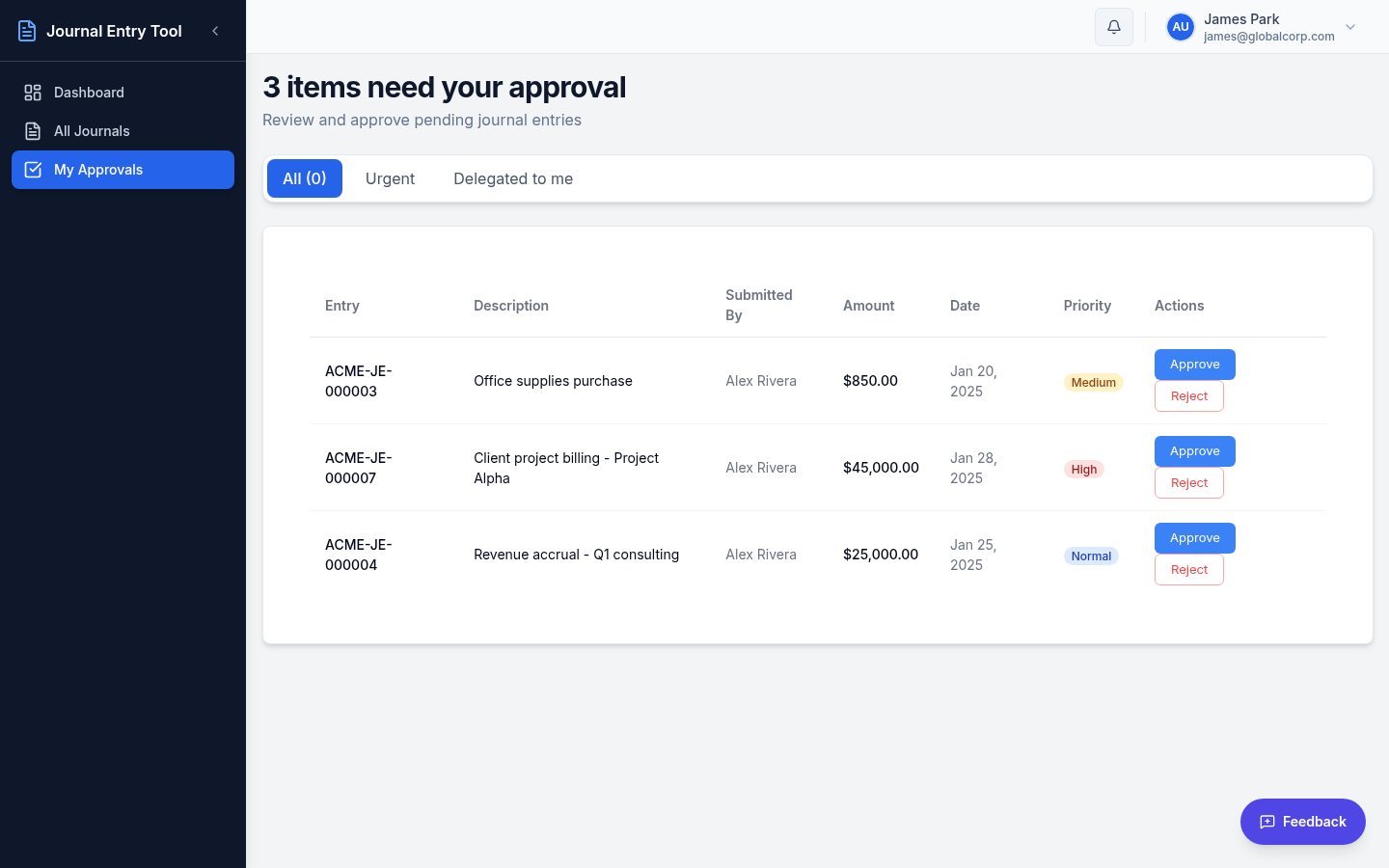
- Configurable approval workflows: parallel, sequential, delegation, SLA escalation
- One-click approvals straight from the queue — no need to open each journal
- Multi-ledger and multi-currency support with FX rate integration
- Intercompany journals with auto-generated balancing entries per entity
- Recurring journal templates, entry copying, and full audit logging
Want something like this built?
We design and build AI products, analytics platforms, and automation systems end to end. Tell us about your problem.